Awesome Markdown
A fast, beautifully rendered Markdown viewer and live editor:
the mdtool terminal app for macOS, Linux, and WSL,
and a native SwiftUI macOS app — both built on one shared Rust
core, mdcore.
v0.0.1 · MIT OR Apache-2.0 · no telemetry, no tracking
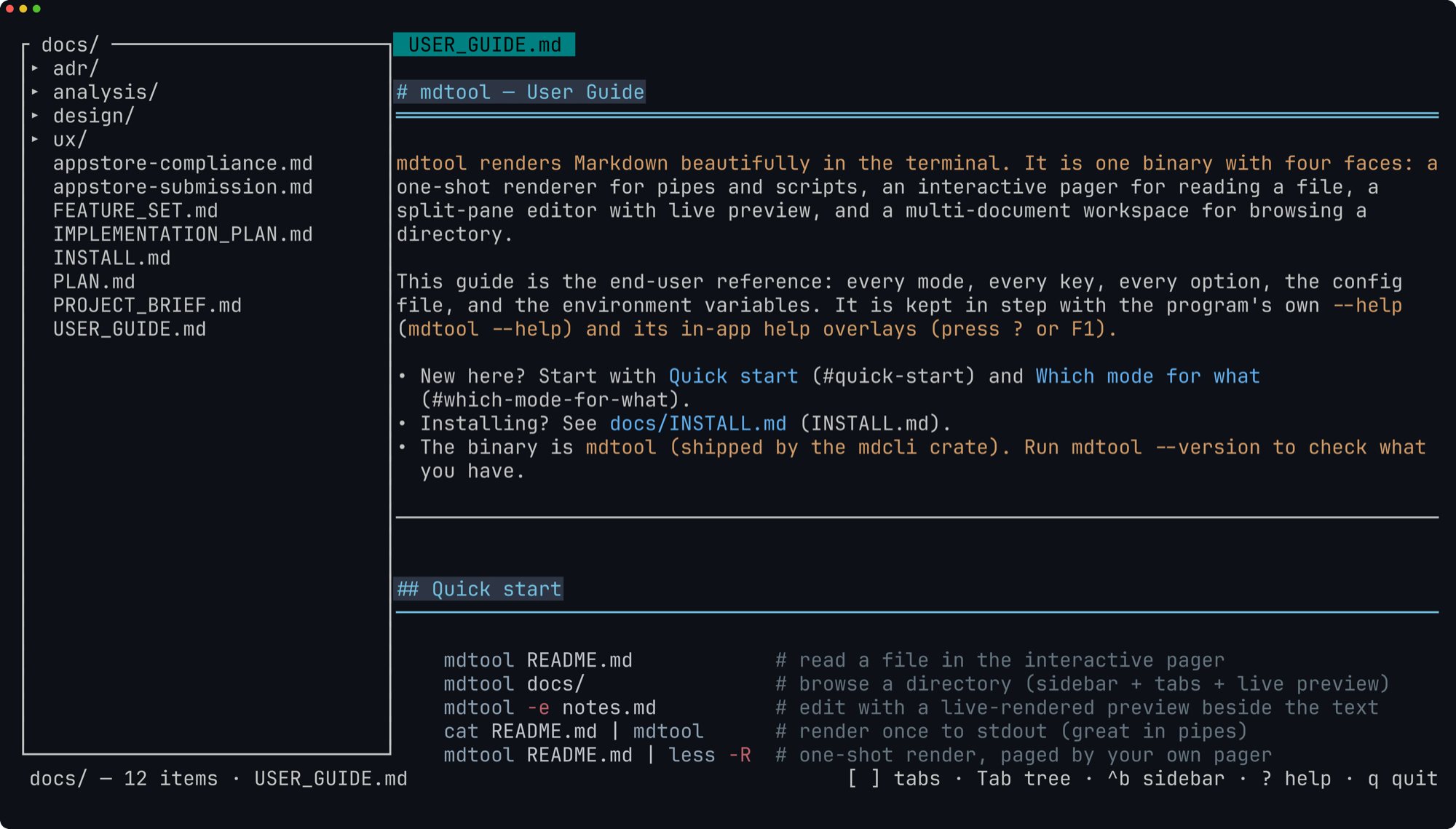
mdtool docs/ — the directory workspace browsing this
project's own documentation: file tree, tabs, and a live-rendered
preview.
What it does
Read
- Terminal rendering with color theming and code syntax highlighting
- Clickable links via OSC 8 terminal hyperlinks
- Scrollable pager:
/search,theading outline, built-in help - Dark, light, and auto themes; selectable heading styles
Write
- Split-pane live editor with scroll-synced preview
- Find & replace, undo/redo
- External file changes picked up automatically
- Native macOS app with the same split-pane editing, via the shared Rust core
Organize
- Directory workspaces with a file-tree sidebar
- Tabbed documents, each keeping its own scroll position
- Cross-document search
Install
Homebrew (macOS & Linux):
brew install --formula https://gitlab.com/rule-number-9/awesome-markdown/-/raw/master/Formula/awesome-md.rbCargo (any Rust toolchain) — installs the mdtool binary:
cargo install mdcliPrebuilt binaries are attached to tagged releases, and the macOS app ships as a signed, notarized download there as well.
See it running
Everything below is a real capture of mdtool 0.0.1
running in a terminal — nothing is mocked up.
mdtool README.md — the interactive pager
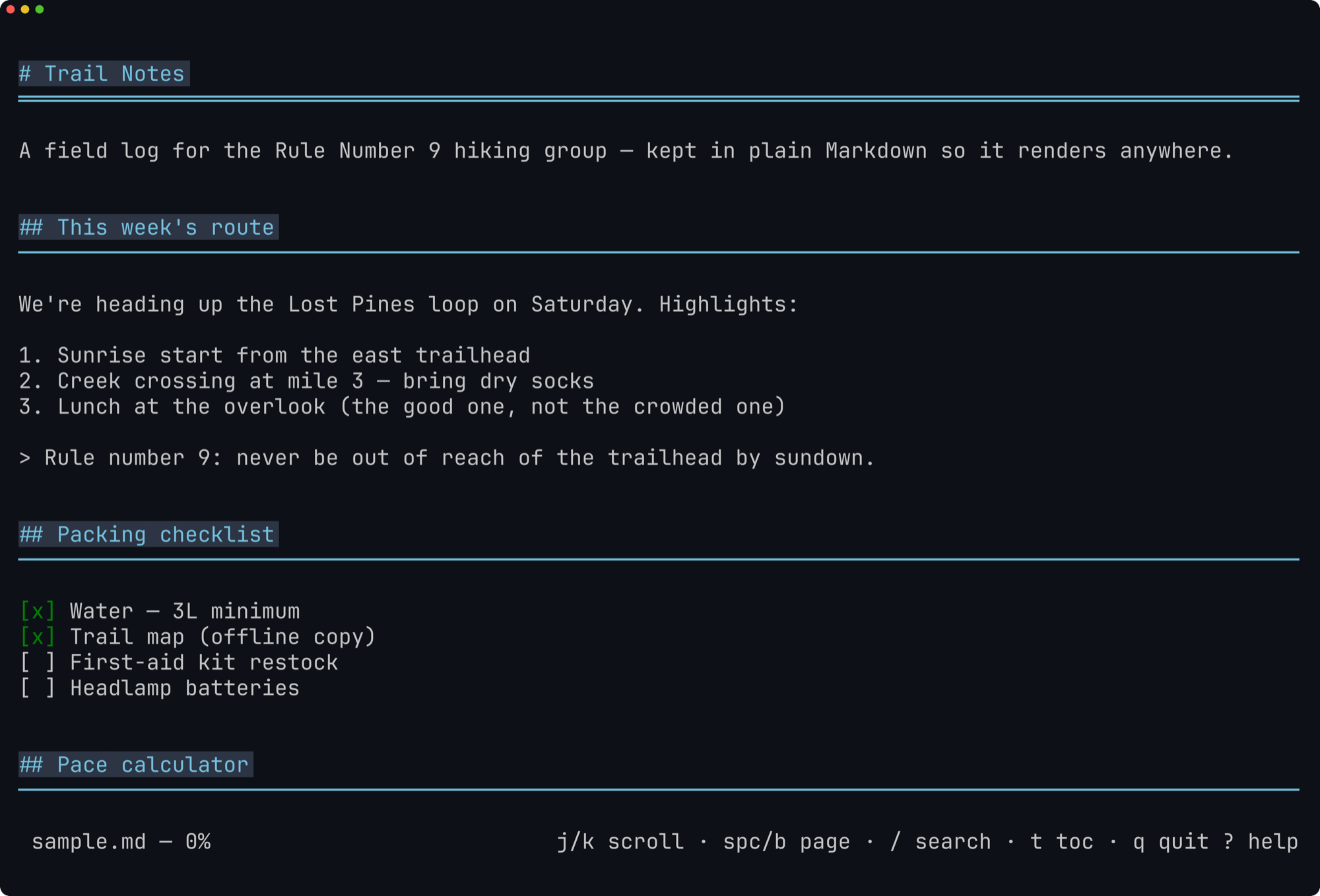
j/k scroll,
/ search, t outline, ? help.
Press t — jump anywhere from the heading outline
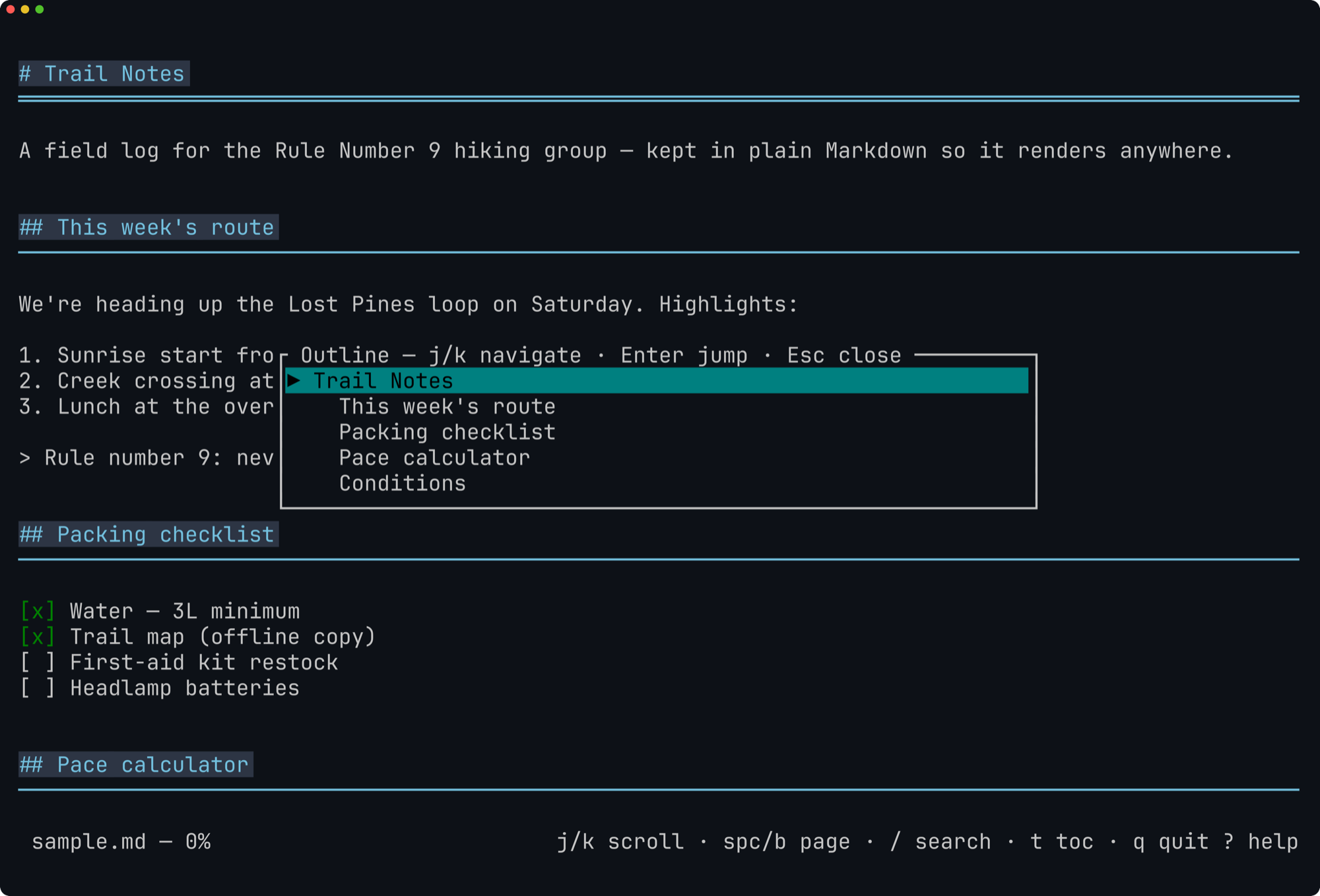
Enter jumps
straight to a section.
mdtool -e notes.md — the split-pane live editor
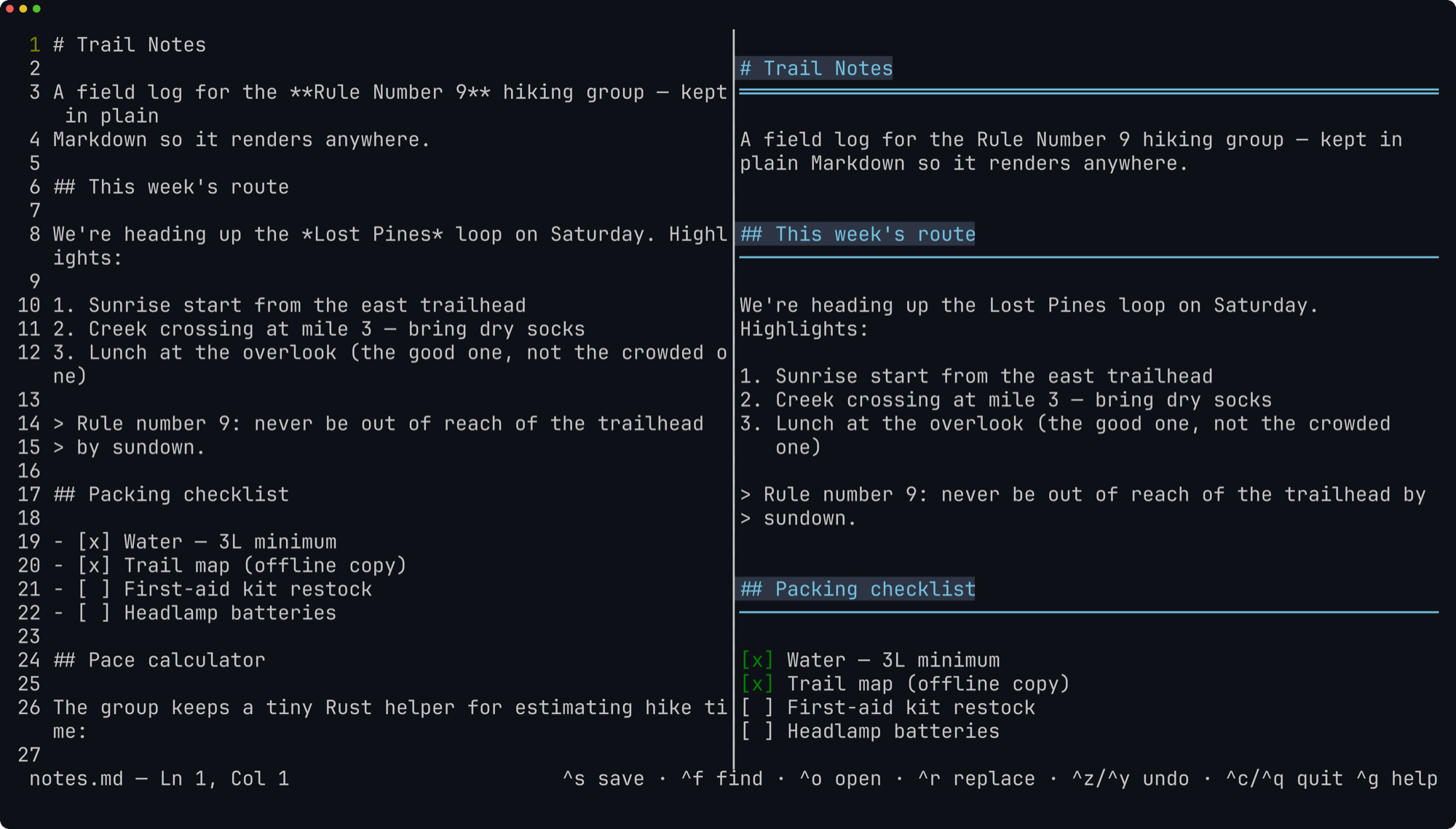
And it plays nicely with pipes
cat README.md | mdtool      # render to stdout
mdtool README.md | less -R  # one-shot render, paged by your own pager
Project & licensing
Awesome Markdown is open source under MIT OR Apache-2.0; the name, logo, and icons remain trademarks of Rule Number 9, LLC. It collects nothing: no telemetry, no analytics, no network calls, no tracking.
Questions and bug reports are welcome on the issue tracker. Please report security issues privately to contact@rulenumber9.net.